
Let the AI Out: Giving the AI Agent a Seat at the Serial Console
This post is part of the Let the AI Out series on giving AI agents direct access to hardware. Start here for the overview.
Every embedded engineer knows the loop.
Write firmware. Flash. Open a serial console. Type a command. Read the output. Think. Type another command. Squint at hex. Realize you forgot to enable the sensor. Reflash. Repeat.
The serial console is often the main windows into what your firmware is doing — boot banners, debug logs, command responses. Every MCU has a UART. Every developer has screen, minicom, or PuTTY open somewhere.
On a new project, building a UART shell is often the first step. A way to poke registers, toggle pins, check state. It’s the universal starting point for bringup, and it usually sticks around for the life of the project.
AI agents can write your firmware, but they can’t see what the device is actually doing once the firmware is deployed. The serial console is completely outside their reach. You end up copy/pasting terminal output into chat.
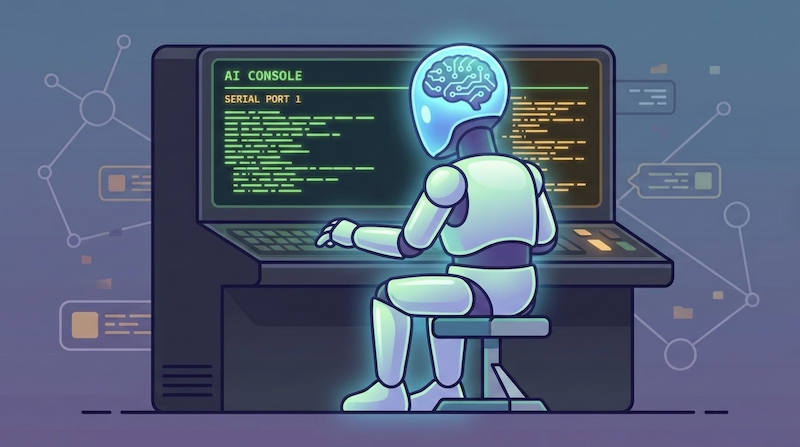
This post is about giving the agent a seat at the serial console — and what happens when it can see, send, and reason about what’s on the wire in real time.
What this looks like in practice
End-to-end demo: opening a serial port, interacting with a device, and creating plugins.
What this is (and what to read first)
This is the third post in a series. If you haven’t read the others yet:
- What Is MCP? — the protocol that makes all of this work. Start here if MCP is new to you.
- BLE MCP Server — same architecture applied to Bluetooth Low Energy. That post covers the poke→spec→plugin arc in detail; I won’t repeat it here.
Serial MCP Server follows the same pattern: stateful MCP server, stdio transport, protocol specs, plugins, tracing. If you’ve read the BLE post, the architecture should feel familiar.
(Claude Code, etc.)"] -->|"MCP
stdio"| B["⚙️ Serial MCP Server"] B -->|"UART"| C["🔌 Device"] style A fill:#2d1b69,stroke:#b794f4,stroke-width:2px,color:#fff style B fill:#4a1942,stroke:#f687b3,stroke-width:2px,color:#fff style C fill:#1a365d,stroke:#63b3ed,stroke-width:2px,color:#fff
What’s different is what serial brings to the table.
BLE is about wireless discovery and structured characteristics. Serial is about text streams, line-oriented protocols, and hardware control lines.
Same loop. Different surface area.
Why serial is different
BLE comes with a built-in data model: services, characteristics, UUIDs. You discover what’s there, read typed values, subscribe to notifications. Even if you layer your own protocol on top, the transport gives you structure.
Serial doesn’t.
Serial is just a byte stream. What those bytes mean depends entirely on the firmware at the other end. It might be a CLI shell, an AT command interface, or raw debug logs. There’s no discovery step — you either know the protocol, or you poke at it until the device reveals itself.
That makes serial more unopinionated than BLE. Less structure to navigate — but also less to lean on.
And that’s exactly why serial fits an AI agent so well.
Most serial interfaces are text-heavy. Commands are strings. Responses are strings. Prompts, banners, error messages, debug logs — it’s all language. The agent already reasons in text, so this interface lines up naturally with how it thinks about the world.
The serial console is also where firmware leaks its internal state. Exposing that surface to an agent gives it the same raw visibility engineers rely on when something doesn’t work.
The development flow
Boot and orient
The agent starts by listing available ports (via serial.list_ports):
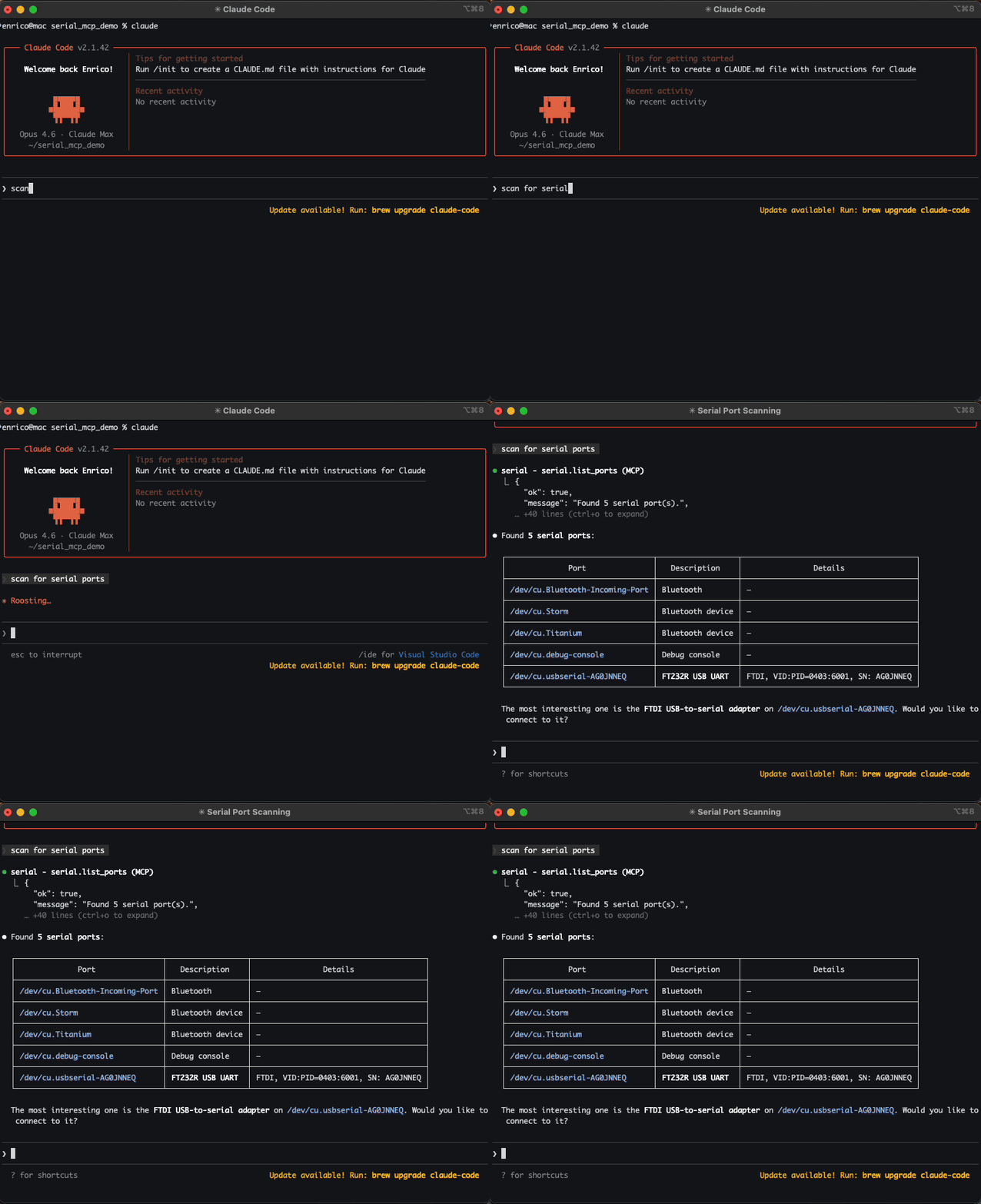
It connects to the device you just flashed (serial.open), reads whatever comes out (serial.read), and sees the boot banner:
[inf] *** Booting DemoDevice ***
[inf] FW v2.1.0-b572fbd | Build: Feb 15 2026 09:42:17
[inf] Sensors: IMU(ok) TEMP(ok) BARO(fail)
[inf] Ready.
>
From the boot output alone, the agent gets immediate situational awareness: Is the board alive? Is UART working? Is this the firmware you meant to flash? Did everything come up cleanly?
The agent sees all of that directly from the boot log — the same way you do.
If it has seen this device before, it can even recognize the banner and attach the right protocol spec or plugin automatically (serial.spec, serial.plugin).
Interact and validate
The device exposes a CLI. The agent sends commands and reads responses (serial.write, serial.readline):
> sensor read temp
TEMP: 23.4 °C
> sensor read baro
ERR: sensor not initialized
> sensor init baro
BARO: init OK
> sensor read baro
BARO: 1013.25 hPa
This is the same back-and-forth you’d do manually — except the agent can keep the whole session in context. It knows which commands it sent, what the device returned, and what state the device is now in.
You’re no longer context-switching between a terminal and a chat window — the agent is watching the same session you are.
Over time, those interactions become knowledge, and that knowledge can be turned into protocol specs and plugins that persist across sessions.
Control lines: DTR and RTS
Serial ports expose control lines — DTR and RTS — that the agent can toggle or pulse. What they do depends entirely on your board design: sometimes nothing, sometimes flow control, sometimes reset. The MCP server exposes the agent to whatever those lines are wired to (serial.set_dtr(true), serial.pulse_dtr()).
For example, Arduino uses DTR for reset. ESP32 uses a DTR/RTS sequence to enter the bootloader. When that wiring exists, the agent can do the same:
serial.pulse_dtr → device resets
[inf] *** Booting DemoDevice ***
[inf] FW v2.1.1 | Build: Feb 15 2026 10:15:03
...
No reaching for the board. No “can you press reset and paste what you see?” The agent resets the device, reads the boot output, and continues.
When things go wrong
You push a firmware update. The agent opens the serial port and gets garbage bytes or nothing comes out at all.
Instead of you staring at screen wondering what happened, the agent can:
- Check the connection settings against what the spec says
- Try common baud rates until output becomes legible
- Pulse DTR/RTS to reset the device
Instead of guessing what state the board is in, the agent can actively try to recover it and tell you what worked.
PTY mirroring: sharing the console
Serial ports are exclusive. When the agent connects, your screen or minicom session can’t attach to the same port.
But you still want to see what’s happening. Maybe even type alongside the agent.
PTY mirroring solves this.
When enabled, the server creates a pseudo-terminal (PTY) — a virtual serial port that mirrors the real one. You attach your terminal to the PTY and see exactly what the agent sees: every byte in, every byte out.
(screen, minicom)"] style A fill:#2d1b69,stroke:#b794f4,stroke-width:2px,color:#fff style S fill:#4a1942,stroke:#f687b3,stroke-width:2px,color:#fff style D fill:#1a365d,stroke:#63b3ed,stroke-width:2px,color:#fff style T fill:#1a365d,stroke:#63b3ed,stroke-width:2px,color:#fff
Two modes:
- Read-only (
SERIAL_MCP_MIRROR=ro) — you observe, the agent drives. - Read-write (
SERIAL_MCP_MIRROR=rw) — true shared access. You can type while the agent is connected.
After the agent opens a connection, the server exposes a PTY symlink that you can attach to:
screen /tmp/serial-mcp0
Now you’re both watching the same live console. It turns a traditionally single-user debugging surface into something you and the agent can actually share.
PTY mirroring uses Unix pseudo-terminals, so as of today, it only works on macOS and Linux.
Line-oriented I/O
Most serial protocols aren’t structured APIs — they’re conversations.
Commands end with \n or \r\n. Devices reply with lines of text, prompts, or sentinel strings: OK, ERROR, > . You don’t “read a value” from serial — you read until the output means something.
That’s why the server exposes tools like:
serial.readline— for classic CLI-style command/response flowsserial.read_until— for prompts, handshakes, or “wait until the device is ready” markersserial.read— raw bytes, when you’re debugging the wire itself
This maps directly to how embedded devices actually behave. An AT modem says OK\r\n. A bootloader prints a banner, then a prompt. A REPL waits for > . The agent reads until it sees the marker that means “you can send the next command now.”
BLE + Serial: the full picture
Many embedded devices expose more than one interface. BLE is often used for the product surface, while serial is commonly used for development and debug — though the opposite can be true, and in practice the lines blur.
When both MCP servers are configured, the agent can correlate them in real time:
Serial gives you the device’s internal perspective. BLE gives you the device’s external behavior.
Seeing both at once is powerful — I put together a full demo and walkthrough.
This is the kind of loop engineers already do manually with two terminals. The difference is that the agent can observe both channels continuously, remember what happened earlier in the session, and reason across them without you copy/pasting logs back and forth.
Getting started
Install:
pip install serial-mcp-server
Register it with Claude Code:
claude mcp add serial -- serial_mcp
Optionally enable plugins and PTY mirroring:
claude mcp add serial \
  -e SERIAL_MCP_PLUGINS=all \
  -e SERIAL_MCP_MIRROR=ro \
  -- serial_mcp
For VS Code + Copilot, add to .vscode/mcp.json:
{
  "servers": {
    "serial": {
      "type": "stdio",
      "command": "serial_mcp",
      "env": {
        "SERIAL_MCP_PLUGINS": "all"
      }
    }
  }
}
The tools will be available in Copilot Chat automatically.
Safety
The BLE post covers the safety philosophy in detail — anything that can affect real hardware is opt-in. The same applies here, with a few serial-specific notes:
Control lines affect real hardware. Depending on your board’s wiring, DTR and RTS can trigger different behaviors. Know what they’re connected to before letting an agent toggle them.
Plugins execute code with hardware access. Enabling plugins allows the agent to create and run Python code that talks to real devices. Review agent-generated plugins before loading them, and prefer allowlists over SERIAL_MCP_PLUGINS=all in sensitive environments.
Writes go to real devices. A bad serial command can put a device into an unexpected state, corrupt configuration, or trigger actions you didn’t intend. Be deliberate about which tools you allow the agent to use.
Closing thought
Serial is the first thing you open when a board powers up, and the last thing you check before shipping.
Giving the agent access to that console changes what it can be. Not just “AI that writes embedded code” — but AI that watches the boot sequence, reads the debug logs, sends commands, checks responses, resets the board when something hangs, and drops into the bootloader when it’s time to flash.
Not an AI on the sidelines — an embedded development companion sitting at the console with you.